Forging in Rocket Rumble

Forging is the process of combining multiple weapons to create a higher-tier, stronger weapon at The Blacksmith.
x number of weapons + 200 $ROCKETCOIN = next-tier weapon
Limited-Time Discount! For the first week, the forging fee will be reduced by 50% to just 100 $ROCKETCOIN.
Our weapon contract operates on ERC1155, making the forging process seamless. Players can fully execute weapon forging on-chain using a custom function. To forge, players must gather x number of weapons (materials/ingredients) and visit The Blacksmith. By paying a set amount of $ROCKETCOIN, the Blacksmith will then merge these lower-tier weapons into a more powerful version.
The specific weapon outcome is randomly generated, but:
Melee weapons → Always forge into another melee weapon
Ranged weapons → Always forge into another ranged weapon
The Forge mechanic is designed to:
Burn excess low-level weapons from the game
Reduce the overall supply of $ROCKETCOIN, improving the in-game economy
Help players progress by obtaining stronger, rarer weapons
How to Forge?
Step 1 — Go to our forging portal
Go to
https://forge.rocketrumble.com/
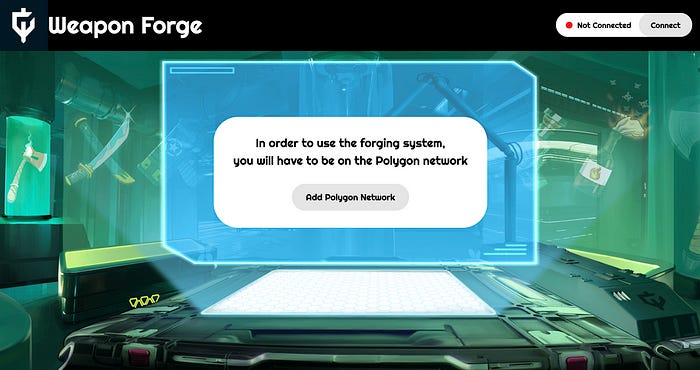
Step 2 — Connect your wallet
The page will prompt you to connect your wallet, and you should see this page when you are connected.
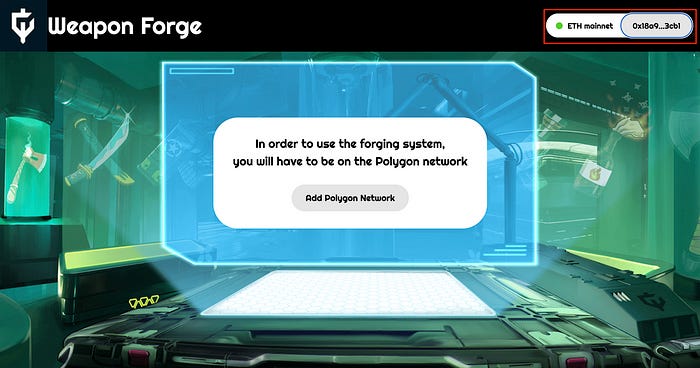
Step 3 — Switch to Polygon network
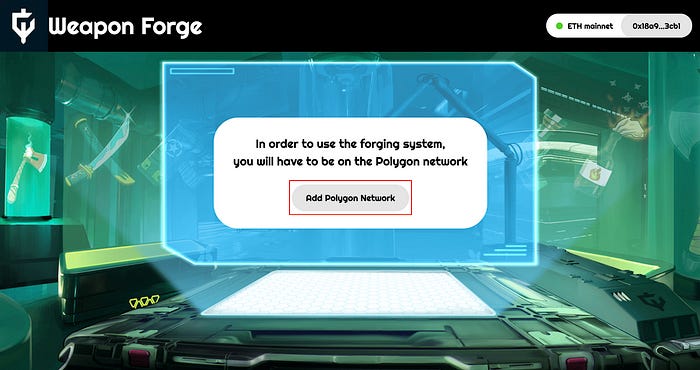
If you are on Ethereum network then you should see this screen, if so click “Add Polygon Network”. Metamask prompt will come up to ask you to switch network, click ‘Switch network’.
Step 4 — Wait for your weapons to load
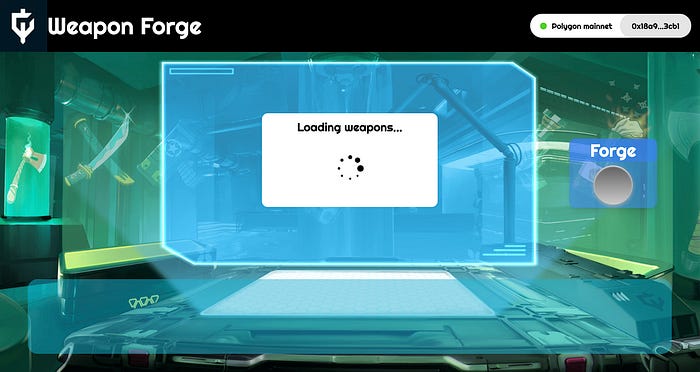
Once your wallet is connected, the weapon forge will load all your available weapons and display all the weapons you have in your wallet
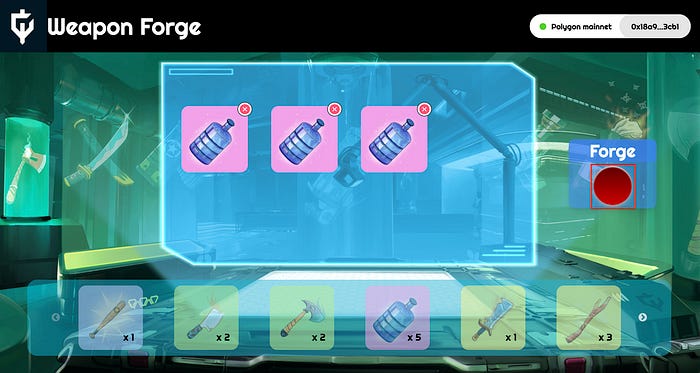
Step 5 — Choose your weapons for forging
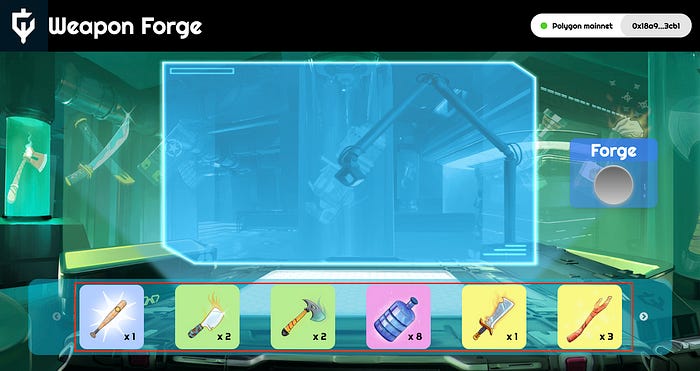
You can now choose the weapons you would like to use for forging
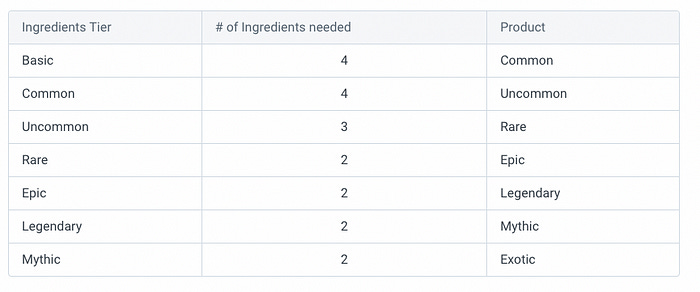
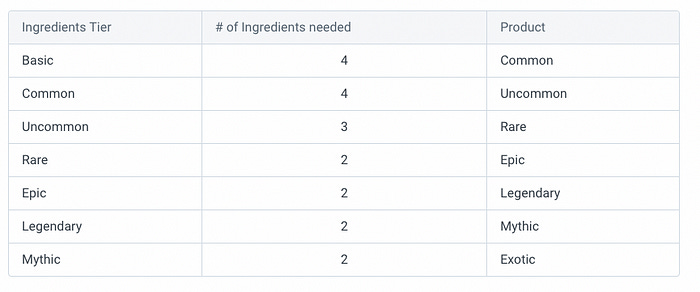
(P.S. You can only forge weapons which are of the same tier and same category[i.e. melee or ranged], the exact number of weapons need for forging are listed below)
Step 6 — Click Forge
The “Forge” button will become red once you have chosen the correct number and type of weapons for forging
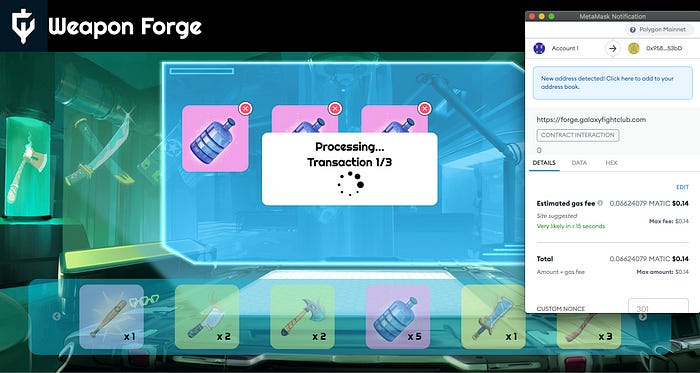
Step 7 — Approve contract
Once you click forge, you will need to confirm two transactions on Metamask, one for Chainlink VRF and one for the actual forging, we recommend you use high gas for this. If this is your first time forging, you will also need to approve the contract to use your $ROCKETCOIN in addition to the other two transactions.
Note: please be patient between the transactions as Chainlink VRF which ensures on-chain provably fair outcomes can take up to 10 minutes to call back to our contract
Step 7 — Congratulations!
Once your transactions have gone through, you should be able to see your newly forged weapon!
About Rocket Rumble
Rocket Rumble is the first cross-IP, cross-platform (PC+ Mobile) PvP fighting game where holders of different NFT collections can battle with each other to both win and earn rewards through play-to-earn mechanics.